




How to install
Choose your system to see its steps.
- 1
Get the files
Download the fixed MelonLoader (40 MB zip) and Pocket Compendium (PocketCompendium.dll). The official MelonLoader doesn't work with the current game.
- 2
Open the game folder
Close the game. In Steam, right-click Ancient Kingdoms, then choose Manage, then Browse local files.
Replacing an older MelonLoader: delete its MelonLoader folder and version.dll, and keep your Mods and UserData folders.
- 3
Install MelonLoader
Extract the zip and copy everything inside it into the game folder, so that MelonLoader, Mods and version.dll sit next to ancientkingdoms.exe. If you are asked, merge the Mods folders.
- 4
Add Pocket Compendium
Copy PocketCompendium.dll into the Mods folder. The zip already put FieldDefaultValueHookFix.dll there, which stops a crash when you enter the world, so keep it. If the Mods folder has BossTracker.dll, BossSkillTracker.dll or BetterBestiary.dll, delete them.
- 5
Start the game
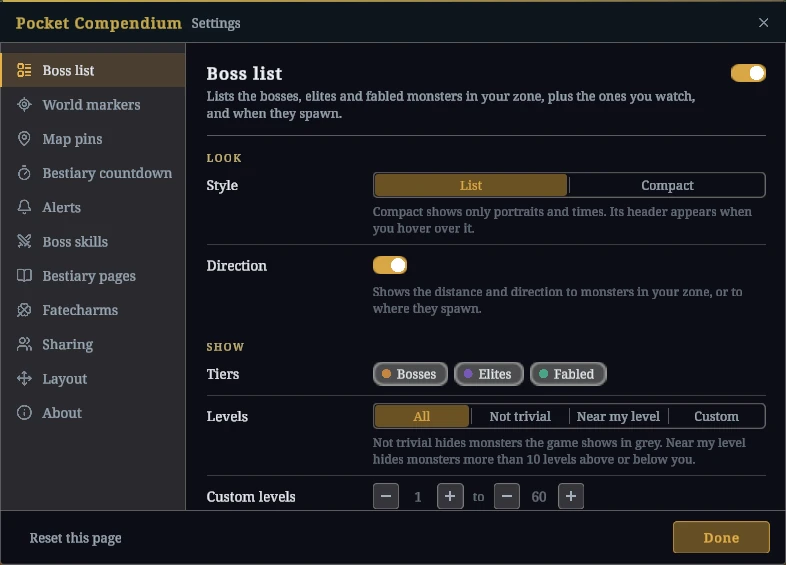
The first start takes about a minute longer, and so does the first start after a game update. A MelonLoader window opens next to the game. In the world, the boss list appears on its own, and F8 opens Pocket Compendium's settings.
Don't run the official MelonLoader installer afterwards. It replaces the fixed files, and MelonLoader stops working.
If something doesn't work, report it on GitHub or post in the compendium channel on the game's Discord.